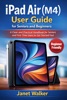

MacBook Air M5 User Guide for Seniors and Beginners is your clear, friendly companion to getting started with Apple’s latest MacBook, without stress, confusion, or technical overwhelm. If you’ve just purchased a MacBook Air M5 or you’re switching from a Windows laptop, it’s completely normal to feel unsure at first. The menus look different, the controls feel new, and even simple tasks can seem unfamiliar. This guide is designed to change that experience from day one. Instead of complicated explanations or technical jargon, this book walks you through everything in a simple, step by step way that actually makes sense. You’ll learn how to set up your Mac, understand how macOS works, and confidently use the features you need in everyday life. Whether you want to browse the internet, send emails, organize your files, join video calls, or simply feel more comfortable using your computer, this guide helps you build real confidence, one step at a time. Inside this book, you’ll discover how to: ✔ Set up your MacBook Air M5 quickly and correctly, even if you’ve never used a Mac before ✔ Navigate macOS with ease using simple gestures, menus, and shortcuts ✔ Customize your Mac to make it easier to see, use, and enjoy ✔ Connect to Wi Fi, manage your Apple ID, and use iCloud without confusion ✔ Organize files, photos, and documents so you can always find what you need ✔ Use essential apps like Safari, Mail, Messages, and FaceTime ✔ Improve productivity with built in tools like Notes, Calendar, and Reminders ✔ Stay safe online and protect your personal information ✔ Extend battery life and keep your Mac running smoothly ✔ Fix common problems without panic or frustration This book is written especially for seniors, beginners, and everyday users who want clear guidance without feeling overwhelmed. Every section is explained in a calm, human way, with practical examples and easy to follow steps. You don’t need to be “good with technology” to use this book. You just need the willingness to learn, and this guide will take care of the rest. If you’re ready to stop guessing and start using your MacBook Air M5 with confidence, this is the guide that will get you there.
Advertisement
Get insights into your website traffic, analyze your website's audience, and optimize your website for better results with Website Statistic.